
For merchants
Show customers they can pay with BB84
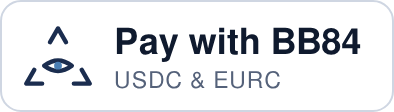
Put the badge next to the card logos in your shop's footer or checkout page. Customers see that you take USDC and EURC, and the badge links to bb84.com, where they can get the app.
Pick your badge
 On a light footerOn a dark footer
HTML to paste
<a href="https://bb84.com/" title="Pay with BB84 – USDC and EURC payments"><img src="https://bb84.com/badge/pay-with-bb84-dark.svg" alt="Pay with BB84 – USDC and EURC" width="197" height="56" loading="lazy"></a>
Where to paste it
It takes about a minute. No account, script or tracking: the badge is a plain image with a link.
Shopify
- Online Store → Themes → Customize.
- Open the Footer (or your checkout info page) and choose Add section → Custom Liquid.
- Paste the code and Save.
WooCommerce / WordPress
- Appearance → Widgets, or Appearance → Editor → Footer for block themes.
- Add a Custom HTML block where your payment logos are.
- Paste the code and Update.
Any other website
- Find the spot where you list payment methods.
- Paste the code into your HTML template or page builder's HTML element.
- No HTML access? Download a PNG below and link it to https://bb84.com/.
Download the files
SVG stays sharp at any size. PNG is twice the listed size, for email signatures, marketplaces and print.





A few rules
- Only show it if you accept BB84. Set up your shop name in the merchant portal first.
- Don't change the badge. No recolouring, stretching or cropping; scale it proportionally and keep it at least 28 px high.
- Keep the link to bb84.com, so customers who don't have the app yet can get it.